Local mode
The local mode runs the whole RS-Python system on your computer with Docker Compose: the rs-server services, rs-dpr-service, the mockups of the stations, the databases, an S3 object storage, Prefect, Dask and a Jupyter server. It is used by the developers to develop and test their changes, and by the CI to run the demo notebooks. There is no authentication: all the users have all the rights.
The differences with the cluster mode are summarised in Developers and contributors.
Prerequisites
- Docker with the Compose plugin.
- A GitHub personal access token
(classic) with the
read:packagespermission, to pull the Docker images from the GitHub Container Registry. -
The rs-demo repository:
Run
# Log in to the GitHub Container Registry, with your GitHub login and your personal access token
docker login ghcr.io

# Pull the latest images
cd local-mode
docker compose pull

# Run all the services. Always remove the volumes before, or the catalog database initialisation fails.
# In case of port conflicts, you can remove all your running containers with: docker rm -f $(docker ps -aq)
docker compose down -v; docker compose up  # add -d to run in the background
Near the end of the logs, the Jupyter server displays its URL, e.g.
http://127.0.0.1:8888/lab?token=612cb124335d9ab80a5a6414631a7df186b2401234050001. Open it in your browser (the token
changes each time the containers are restarted), then open the notebooks of the demos or tutorials folders:
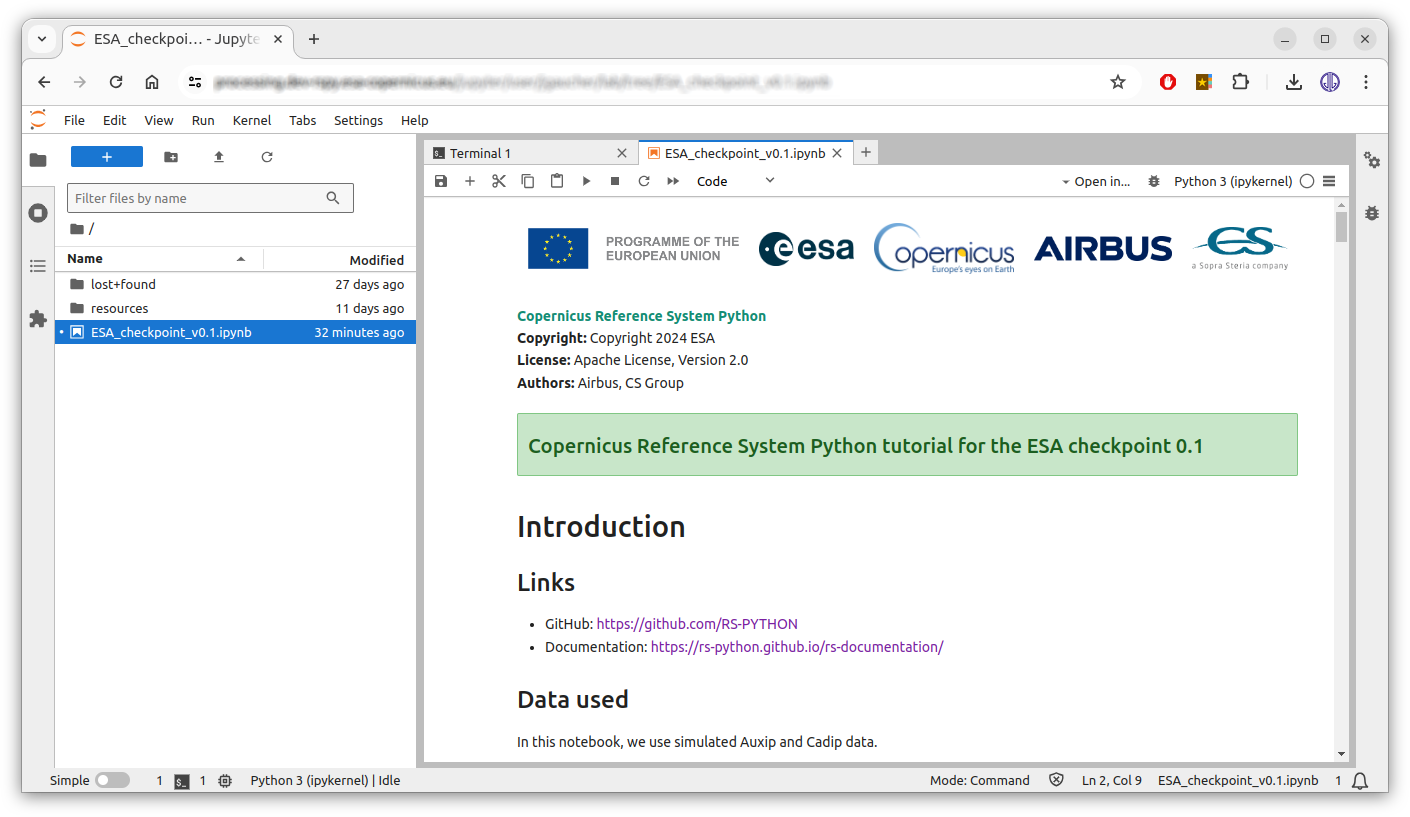
The Jupyter environment contains the rs-client-libraries and all the environment variables to call the local services. The notebooks run in the Jupyter container, not in your local Python environment.
To stop everything and remove the volumes:
Services
The docker-compose.yml file runs:
| Services | URL | Description |
|---|---|---|
nginx |
http://localhost | Exposes the services behind a single address, like the Envoy Gateway in cluster mode. The Swagger page is at http://localhost/docs (for display only). |
rs-server-* |
e.g. http://localhost:8001/docs (AUXIP), http://localhost:8002/docs (CADIP), http://localhost:8003/catalog/api.html (catalog), http://localhost:8005/docs (PRIP) | The rs-server services. |
rs-dpr-service_py<python>-<dask> |
rs-dpr-service, one container per Python and Dask version. | |
adgs-station, cadip-station, lta-station, prip-station |
Mockups of the stations, from rs-testmeans. | |
stac-browser-* |
http://localhost:8101 (AUXIP), http://localhost:8102 (CADIP), http://localhost:8103 (catalog), http://localhost:8105 (PRIP) | The STAC browsers. |
prefect-server, prefect-worker-* |
http://localhost:4200 | The Prefect server and one worker per work pool. |
dask-* |
One container per Dask cluster (staging, Level-0, S1 ARD, S3 OLCI, mockup...). Each one runs its own Dask Gateway server, as there is no central Dask Gateway in local mode (see Dask images). | |
postgres, catalog-db |
The PostgreSQL databases: jobs, performance indicators, and the pgstac catalog. | |
seaweedfs-s3 |
http://localhost:9101 | The SeaweedFS S3 object storage, with the S3_ACCESSKEY and S3_SECRETKEY credentials of the .env file. |
jupyter |
http://localhost:8888 | The Jupyter server. |
The configuration of the services (stations, buckets...) is in the
local-mode folder (.env, config/).
If pulling an rs-dpr-service image fails with manifest unknown after a Python or Dask version change, check the
publication workflow of
rs-dpr-service: the images built with the latest-temp-cicd tag are tagged latest only after the demo tests pass.
Keep the names of the rs-dpr-service services in docker-compose.yml and of their upstream hosts in nginx.conf
synchronised when changing these versions.
Test your local source code
To test your local source code without rebuilding the Docker images, mount it in the containers. For example, if
your rs-server repository is in /my/local/rs-server:
- Copy the Docker Compose file:
cp docker-compose.yml docker-compose-debug.yml -
Mount your source code in the containers of
docker-compose-debug.yml, e.g.:rs-server-adgs: # ... volumes: - /my/local/rs-server/services/common/rs_server_common:/usr/local/lib/python3.13/site-packages/rs_server_common - /my/local/rs-server/services/adgs/rs_server_adgs:/usr/local/lib/python3.13/site-packages/rs_server_adgs - /my/local/rs-server/services/adgs/config:/usr/local/lib/python3.13/site-packages/config -
Run it:
docker compose down -v; docker compose -f docker-compose-debug.yml up
The same method applies to the rs-client-libraries source code in the jupyter and prefect-* containers, or to
the rs-dpr-service source code. To debug with breakpoints, attach your IDE to the containers, e.g. with the
Visual Studio Code Dev Containers extension.
To debug the EOPF and processor code, use the experimental
LocalCluster configuration
of rs-dpr-service.
Run all the notebooks
The CI runs all the notebooks in local mode, with the
run-notebooks.sh script, to test
the Docker images before publishing them (see Repositories and CI/CD).
The notebooks listed in local-mode/scripts/ignored-notebooks.txt are skipped.