User rights and API keys
All the RS-Python services are protected: to use them, you need an account on the platform Keycloak instance, created by an administrator (see Create accounts and assign permissions).
Two different notions are involved:
- Authentication answers the question who are you? You prove your identity either with your Keycloak login and password (OAuth2 authentication), or with an API key.
- Authorisation answers the question what are you allowed to do? Your rights are the Keycloak roles assigned to your account by an administrator. They are the same whatever the authentication method.
To check your user name and your rights, open the /auth/me endpoint of the rs-server website, e.g.
https://rspy.ops.rs-python.eu/auth/me on the reference platform (replace ops.rs-python.eu by the domain name
of your own platform).
Authentication methods
OAuth2 authentication
When you open any RS-Python web page (Swagger, STAC browser, Prefect, JupyterHub, Grafana...) for the first time, you are redirected to the Keycloak login page:
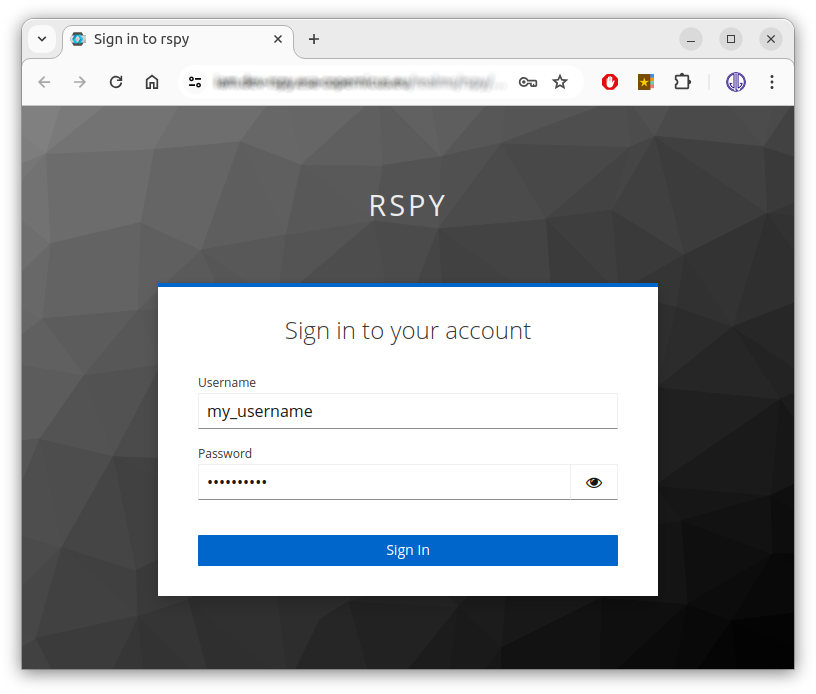
You are then authenticated with a session cookie, that has a short lifespan for security reasons (the token lifespan is set by the administrators in the Keycloak Realm settings > Tokens tab). You must log in again regularly, so this method is suitable for interactive use and for short scripts or flows that only last a few minutes, but not for long-running processing.
To log in with a different Keycloak account, either remove your cookies from your browser settings, or use an incognito/private browser session. From the Swagger page, you can also use the Login and Logout links at the top of the page.
API keys
For scripts, notebooks and Prefect flows, use an API key instead: it has a longer lifespan, that you choose when you create it. An API key carries your identity and your rights: keep it secret.
API keys are managed by the API Key Manager service:
-
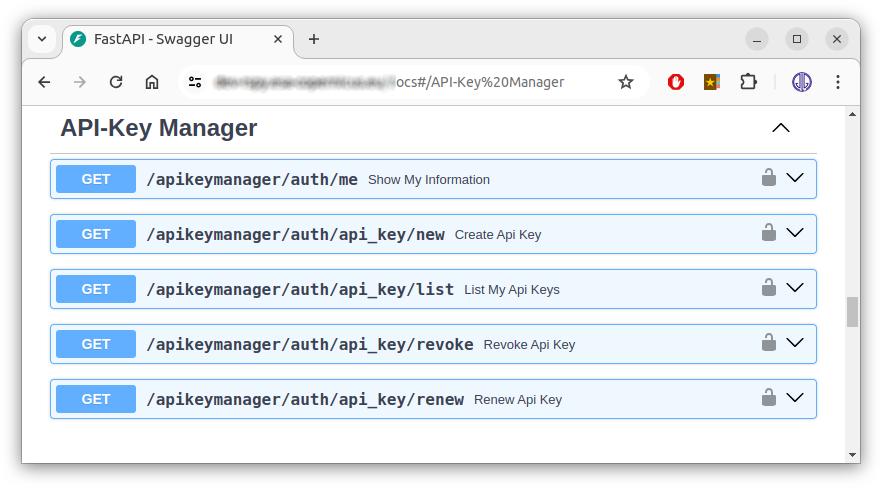
Open the API Key Manager Swagger page, e.g. https://apikeymanager.ops.rs-python.eu/docs on the reference platform. Log in with your Keycloak account if requested.
-
Expand the
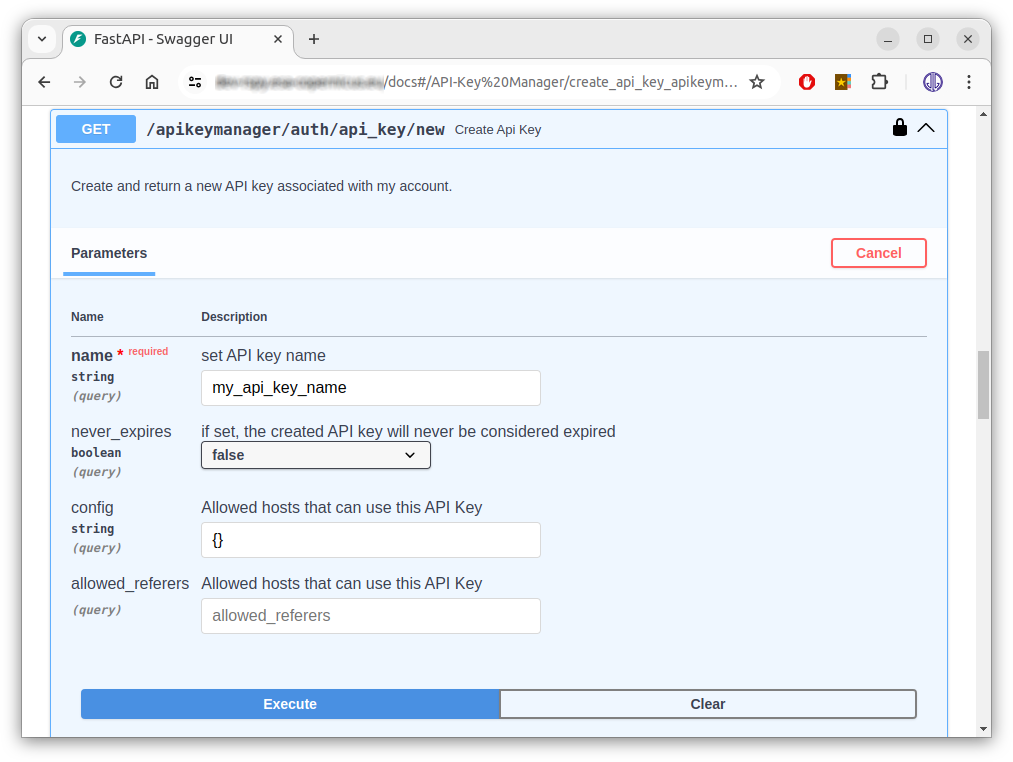
Create Api Keyendpoint, click theTry it outbutton on the right, fill in your API key parameters and click theExecutebutton at the bottom:- name: free text, to recognise your key.
- never_expires: if
false, the API key expires after 15 days. - config and allowed_referers: not used.
-
Copy your new API key value from the
Response bodyframe, without the quotes, and save it in a safe place: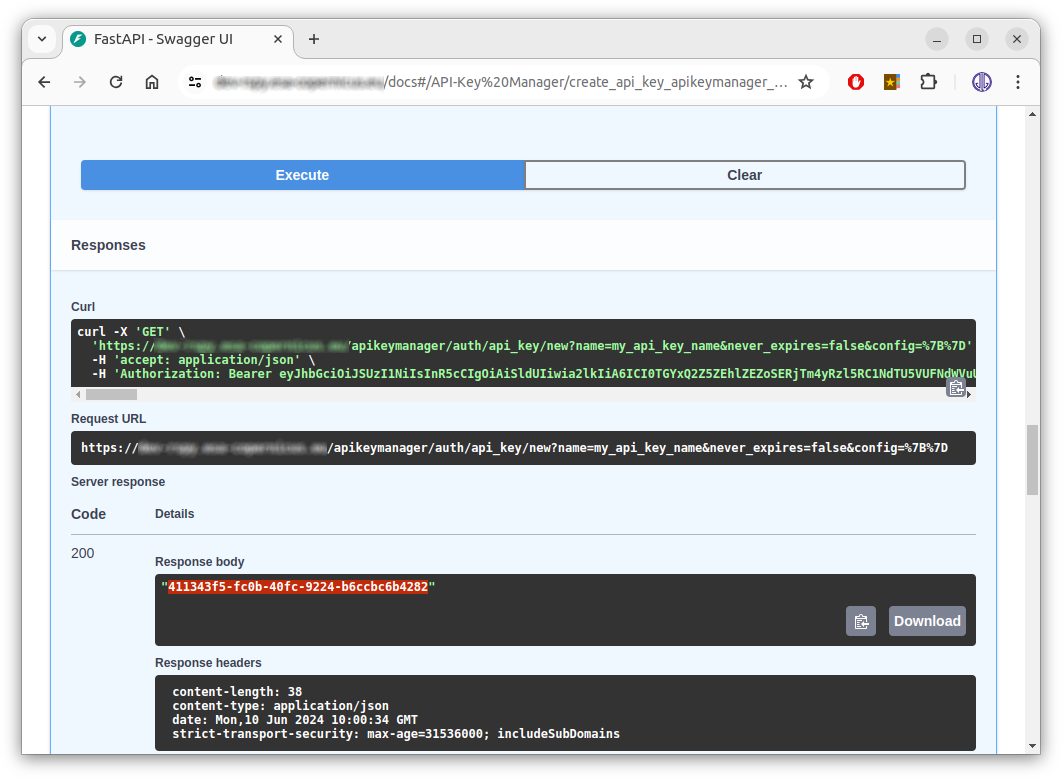
The other API Key Manager endpoints allow you to:
- Show My Information: show your Keycloak account information and roles,
- List My Api Keys: list your API keys and their usage,
- Revoke Api Key: revoke one of your API keys, e.g. if it has leaked,
- Renew Api Key: renew one of your API keys, and reactivate it if it was revoked.
To use your API key from the Swagger page, click one of the lock icons and enter your API key value:
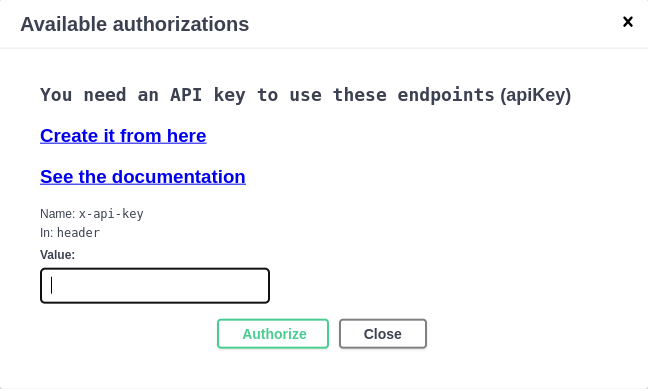
From the command line or from your own code, pass your API key in the x-api-key HTTP header:
From Python, the rs-client-libraries read your API key from the
RSPY_APIKEY environment variable. To use it from the Prefect flows, see
Set up your environment.
Available rights
The rights are Keycloak roles. The platform administrator may grant you all or part of the following roles.
Catalog
You always have all the rights on the collections that you own. To access the collections of other users, you
need these roles, where <owner> is the owner of the collection, <collection> the collection identifier, and
both can be replaced by the * wildcard:
| Keycloak role | Access |
|---|---|
rs_catalog_<owner>:<collection>_read |
Read the collection <collection> owned by <owner>, search its items. |
rs_catalog_<owner>:<collection>_write |
Create, update and delete items in the collection, update or delete the collection. |
rs_catalog_<owner>:<collection>_download |
Download the assets of the items of the collection. |
For example, rs_catalog_copernicus:*_read allows to read all the collections of the copernicus user, and
rs_catalog_*:s3-l0_download allows to download the assets of the s3-l0 collections of all the users.
Collection names
In the catalog API, a collection is identified by <owner>:<collection>, e.g. copernicus:s3-l0. When the
owner is omitted, your own user name is used. See
Catalog for details.
External data sources
Access is given per station or instance. <station> is the station or instance identifier configured on the
platform, e.g. ins, mps, mti, nsg, sgs for the CADIP stations, adgs for the AUXIP instance, s1a,
s2b... for the PRIP instances.
| Keycloak role | Access |
|---|---|
rs_cadip_<station>_read |
Search the sessions of the CADIP station <station>. |
rs_auxip_<station>_read |
Search the auxiliary data of the AUXIP instance <station>. |
rs_prip_<station>_read |
Search the products of the PRIP instance <station>. |
rs_cadip_landing_page, rs_auxip_landing_page, rs_prip_landing_page |
Read the landing page, conformance and list of collections of the CADIP, AUXIP or PRIP service, e.g. from the STAC browsers. |
Administrators usually define composite roles
to ease the management, e.g. rs_cadip_all_read that includes the read roles of all the CADIP stations, or
rs_all_landing_page that includes all the landing page roles.
Staging
| Keycloak role | Access |
|---|---|
rs_processes_staging_read |
Read the staging process description and the status of the staging jobs. |
rs_processes_staging_execute |
Execute staging jobs. |
rs_processes_staging_dismiss |
Dismiss (cancel) running staging jobs. |
rs_processes_staging_download_<station> |
Download products from the station <station> during a staging job. |
Object storage (OSAM)
Every authenticated user can get their own S3 credentials with the /storage/account/credentials endpoint. The
other endpoints are reserved to administrators:
| Keycloak role | Access |
|---|---|
rs_osam_update |
Synchronise the object storage accounts and rights with Keycloak (/storage/accounts/update and /storage/account/{user}/update). |
The rights on the S3 buckets are computed by OSAM from your catalog roles, see OSAM.
Applications
The access to the applications of the virtual environment is granted by Keycloak groups and roles configured at deployment time:
| Application | Access |
|---|---|
| JupyterHub | Members of the groups listed in the JupyterHub allowedGroups setting (RS-JUPYTER-USER by default). Members of the adminGroups (RS-ADMIN by default) can also administrate JupyterHub. |
| Prefect | Users with one of the roles listed in the Prefect instance allowedRoles setting (RS-JUPYTER-USER by default). Each user group can have its own Prefect instance. |
| Grafana | Administrators and operators. |
| Swagger and STAC browsers | All authenticated users. Each request is then checked against the roles above. |
If you need additional rights, contact your platform administrator.